
Field app, workbench, signed report.
A field app for the site visit, a workbench for the appraisal, and a signed report the firm can stand behind. Each firm works in its own separate space.
The site visit, on an iPhone
For appraisers and inspectors. The steps can be done in any order, and any step that does not apply can be skipped with a reason.
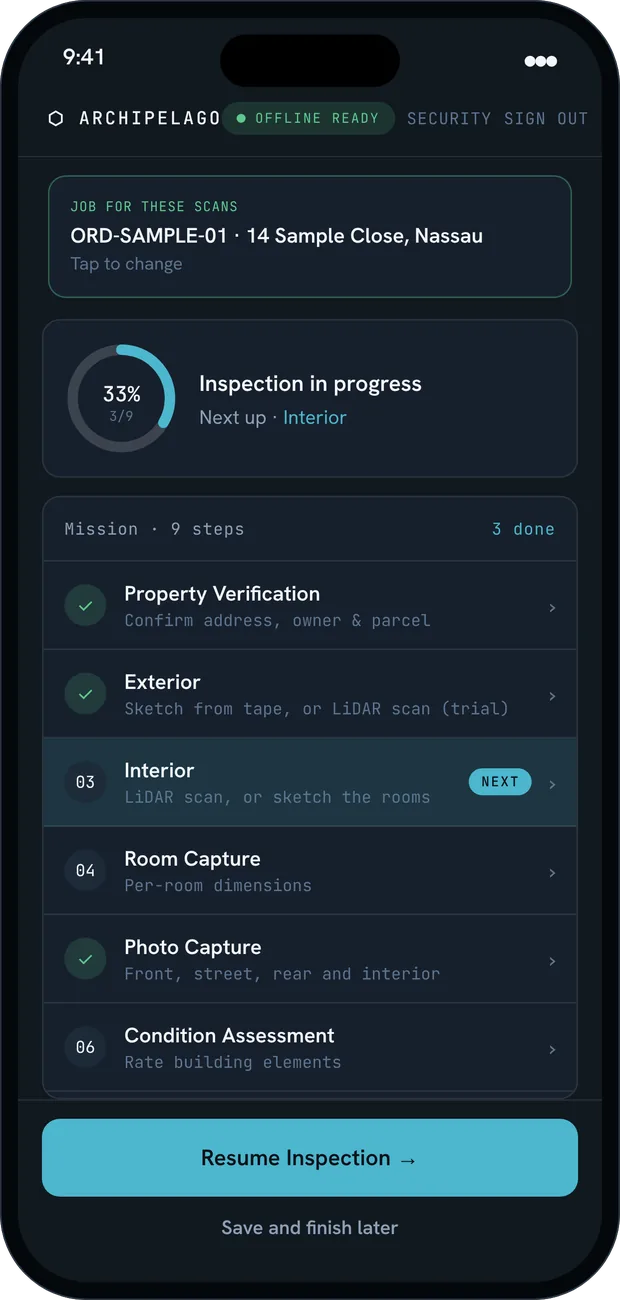
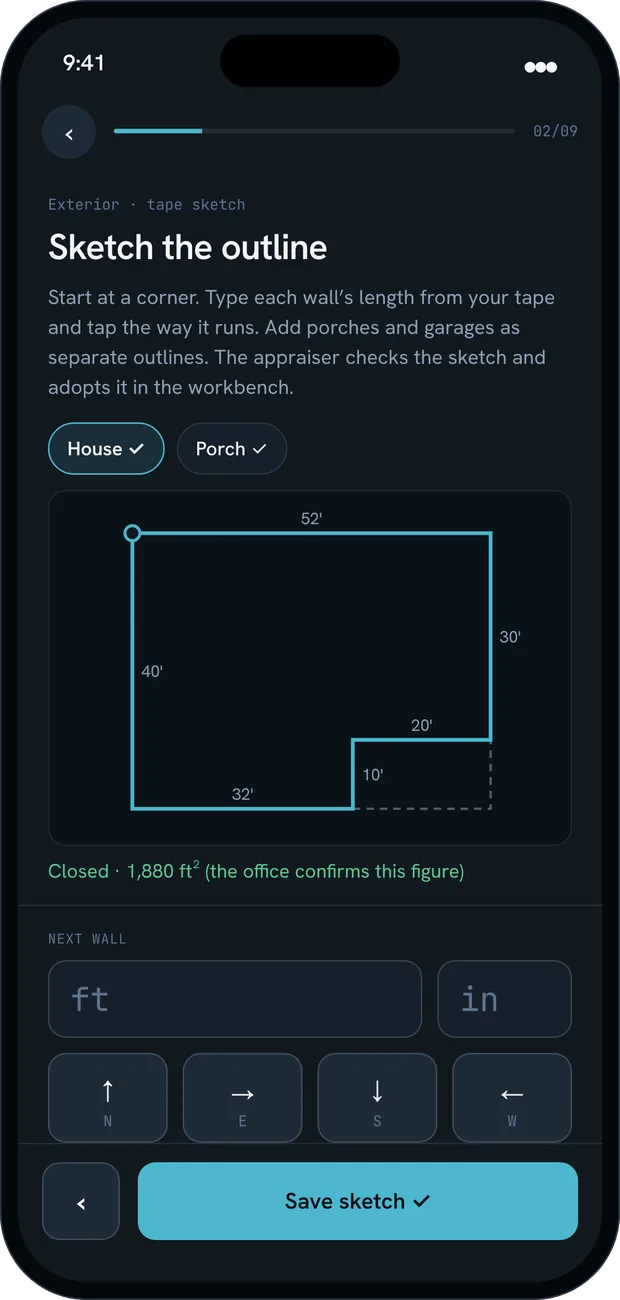
Field app screens, shown with sample data.
- Confirm the property.
- Sketch the outline from tape measurements: type each wall's length and tap the way it runs. Porches and garages are separate outlines.
- Scan rooms with the phone's LiDAR sensor, or sketch them room by room. Scanning needs an iPhone with LiDAR (the Pro models).
- Take the required photos: front, street, rear and interior.
- Record condition and site details, such as water, sewage, road and utilities.
- Before sending to the office, the app lists anything missing. Each gap is acknowledged with a note.
- Photos and notes are saved on the phone and sent in the background when there is signal.
The appraisal, in the browser
Field data arrives as suggestions. The appraiser adopts or rejects each one. Nothing is filled into the report automatically.
- Subject facts and assignment details in one place.
- The outline sketched or scanned on site, checked and adopted by the appraiser, with living and non-living areas worked out.
- Comparables and adjustments, chosen and made by the appraiser.
- Cost approach and reconciliation.
- Report wording in the firm's own style and layout. An existing template can be imported from Word, PDF or text.
- A preview, and a checklist of anything that still blocks signing.


Workbench screens, shown with sample data.
Signed once, locked for good
The appraiser signs with a drawn or uploaded signature and confirms the certifications. From that moment the report cannot be changed.
- The firm's own branded PDF report, archived exactly as delivered.
- An optional transmittal letter.
- RBC and Scotiabank forms, filled from the signed appraisal.
- A correction is a new amendment, linked to the original, with a written reason and its own signature.

Archipelago is not affiliated with or endorsed by RBC or Scotiabank. Bank names are used only to identify the forms that are filled.
Each firm's work stays its own
- Each firm's data is kept separate from every other firm's.
- Within a firm, appraisers and inspectors see their own work, and administrators manage the firm.
- Every action is recorded in an audit trail that cannot be edited.
- Sign-in supports two-factor authentication.
Still in progress
We would rather tell you what is not finished than have you find out later.
Planned for launch
Floor plan from the phone scan
A floor plan with room sizes, produced from the scan, for the report. The scan measures the inside of the building. It does not replace the appraiser's exterior gross living area figure.
Not at launch
iPad and non-LiDAR phones
The field app is for iPhone. Room scanning needs a model with a LiDAR sensor. iPad is not supported at launch.